
LAYER ORIGIN

Identify the source of images
contained in your Adobe Photoshop files
A Photoshop file can contain dozens
or even hundreds of layers from different sources.
Manually tracing a stock image, identifying an AI-generated asset,
or compiling a complete source report can quickly become time-consuming.
LAYER ORIGIN
automates this process
directly in Photoshop
LAYER ORIGIN analyzes the information available
in the document and its layers
to identify traceable references and sources.
Graphic production
Quickly trace the source of an image in a complex PSD file.
Agency /
studio
Rapid, precise check of files
received or produced
Simplify license management
and the purchase of the images
The links provide access to the corresponding provider pages and the commercial information available on their websites.

Prepress / Production
Inventory the assets used
before delivery or archiving.
Audit
Generate an actionable report
of image sources.
With Adobe Photoshop,you create and retouch images
With LAYER ORIGIN, you trace their sources

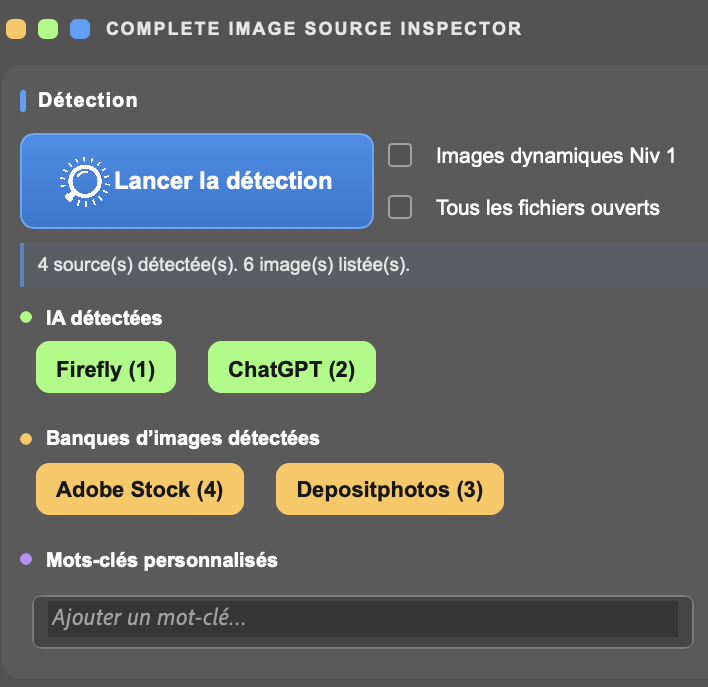
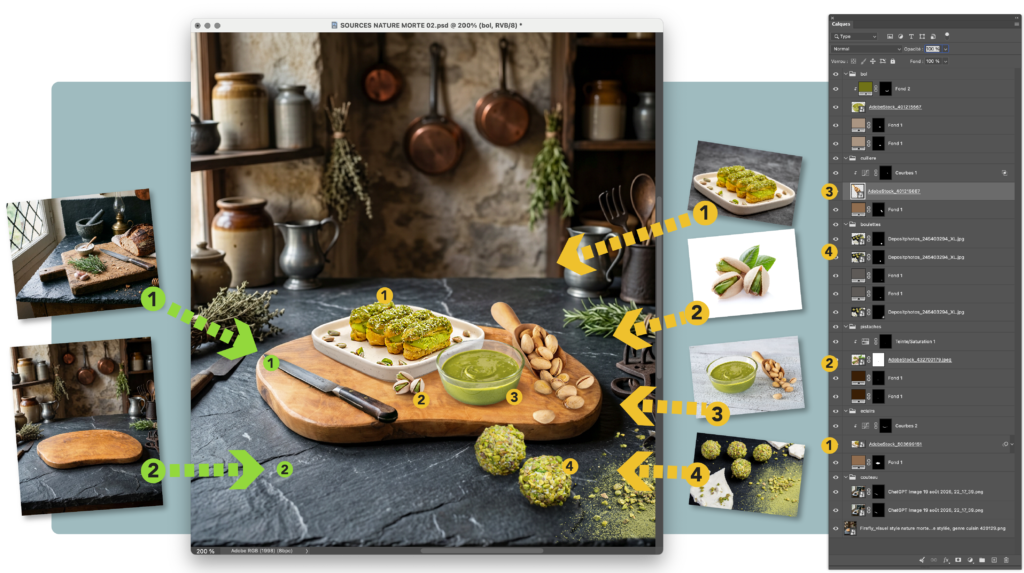
ANALYZES layers,
detects and displays their sources

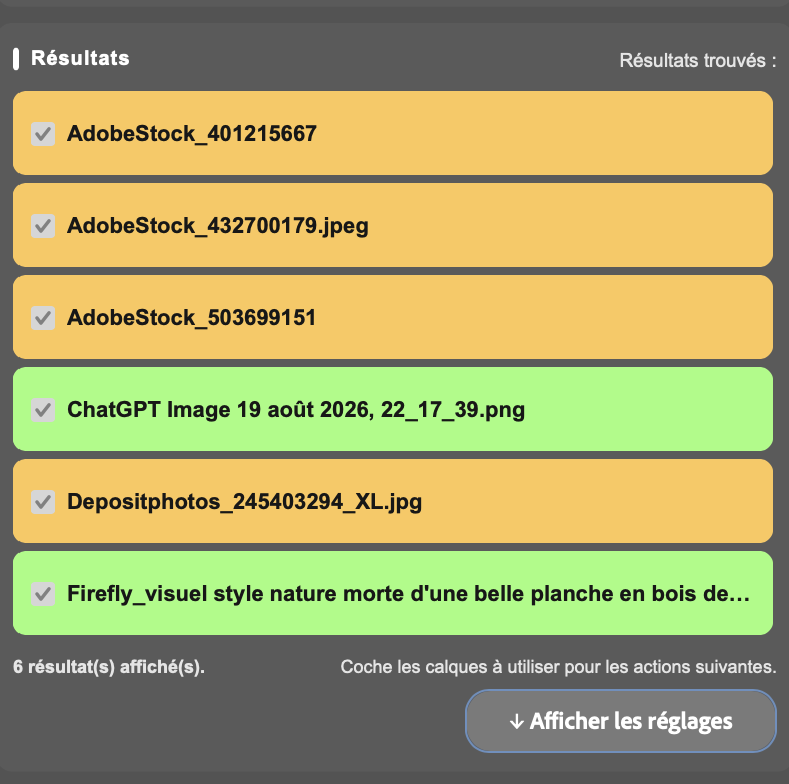
RESULTS LIST
with traceable and clickable sources


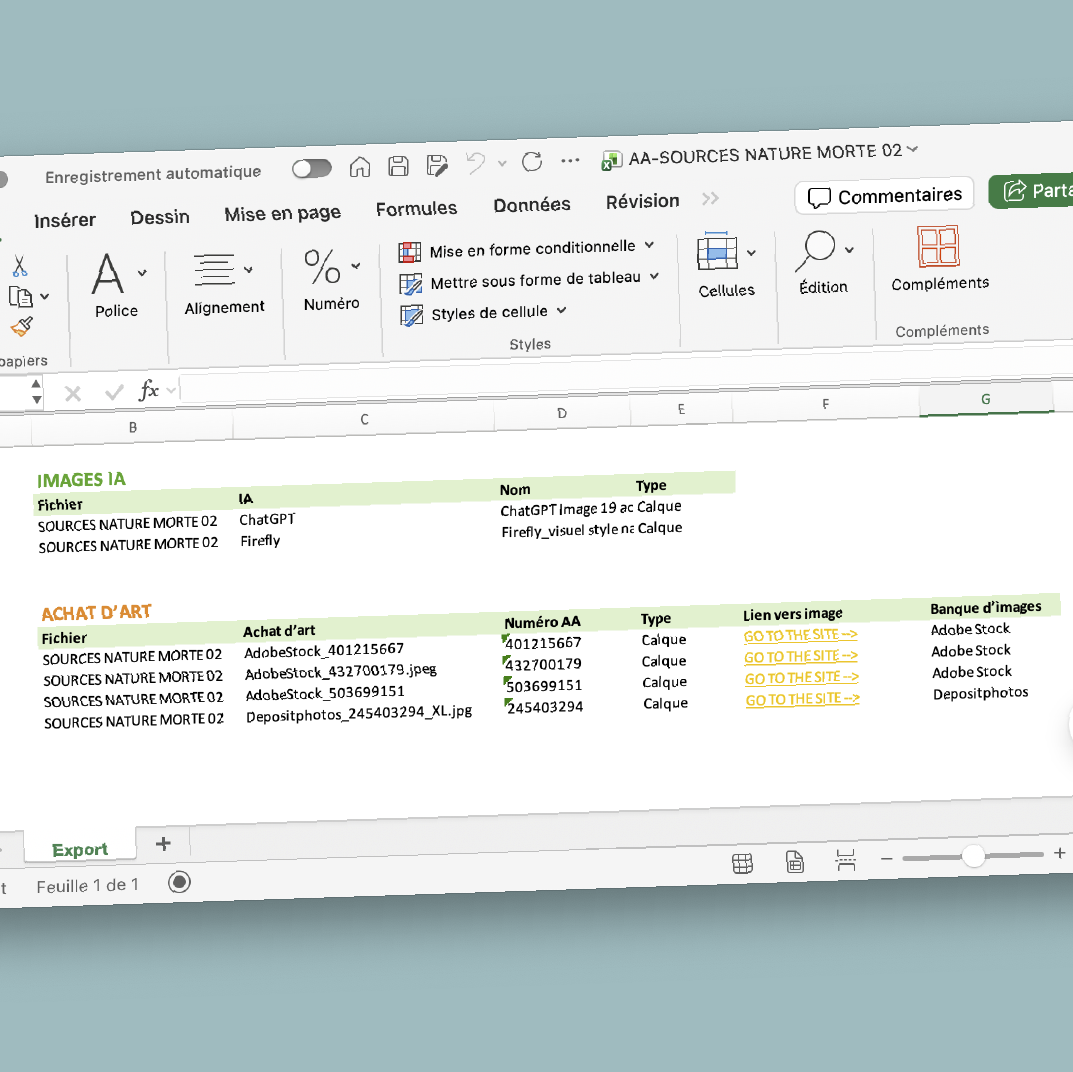
COMPLETE REPORT
in an .xlsx spreadsheet


INSTANT ACCESS
to stock image providers*


CONTACT SHEETS
of analyzed images
Choose the edition that fits your workflow
🟨 STOCK
FIND
Find Stock Images


🟩 SOURCES
IDENTIFY
Identify stock & AI images


🟦 PRO
AUDIT
Audit image sources


Available here:
Find it
19,99$
Identify it
26,99$
Audit it
39,99 $

Test it
Conçus pour Adobe Photoshop 27.9.1 sur MacOS – Non testés sur Windows

Layer detection across all groups
◽️ Option to search within Smart Objects:
- Banque d’images*
- AI-generated images
- Custom keyword search results
◽️ Option to search across all open documents and generate a combined report.
🔅 Detected sources appear as instantly accessible clickable buttons.

Detailed report in spreadsheet format
The .xlsx report includes:
- File name
- Full layer path
- Reference ID
- Hyperlink to the corresponding source
- Stock image provider
- AI platform
Compatible with Microsoft Excel, Apple Numbers and other spreadsheet applications
🔅 Hyperlinks are automatically generated from the information detected during the analysis.

Instant link generation
Generates a unique link for each image based on its detected source
Open all detected links directly from Photoshop in your default web browser
🔅 Where available, links open the corresponding official asset page, with pricing and licensing information provided by the source website

Contact sheet generation
Analyzed images are automatically arranged without requiring any manual layout
◽️ Option to simultaneously create separate contact sheets by category:
- Stock image provider
- AI-generated images
- Custom keyword search results
◽️ Option to keep the extracted images in a folder on the Desktop
◽️ Precise contact sheet settings.
🔅 Layer Origin retrieves the underlying images directly from the document

User log
Detailed information about the layer analysis
Instant export to the Desktop
🔅 The log provides additional information about the analysis process.

Custom keywords allow you to extend searches even further
🔅 Information is retained within the plugin
◼︎Banques d’images prises en charge* :
| ◽️Shutterstock |
| ◽️Adobe Stock |
| ◽️iStock |
| ◽️Getty Images |
| ◽️Depositphotos |
| ◽️Alamy |
| ◽️Dreamstime |
| ◽️123RF |
| ◽️Envato Elements |
★ Images génératives prises en charge :
| ★ Firefly |
| ★ ChatGPT |
| ★ Gemini / Imagen |
| ★ Midjourney |
| ★ FLUX |
| ★ Recraft |
| ★ Stable Diffusion |
| ★ Leonardo AI |
| ★ Ideogram |
| ★ Magnific/Freepik |
| ★ Krea |
| ★ DALL·E |
| ★ Grok |
| ★ Remplissage génératif Photoshop |
*IMPORTANT: Some stock image providers may require you to sign in to your account to access the images